 Klats
First lesson
From installing to the first grades in ten steps.
Install Klats on your computer — see “How to install” for how.
Connect the computer to the same network as the students’ PCs, and open Klats.
In “Classes”, click “New class” and paste the list of students from Excel or the class register.
In “My tests”, click “New test” and add questions — or click “Open” and pick a ready .klats or .mtf file.
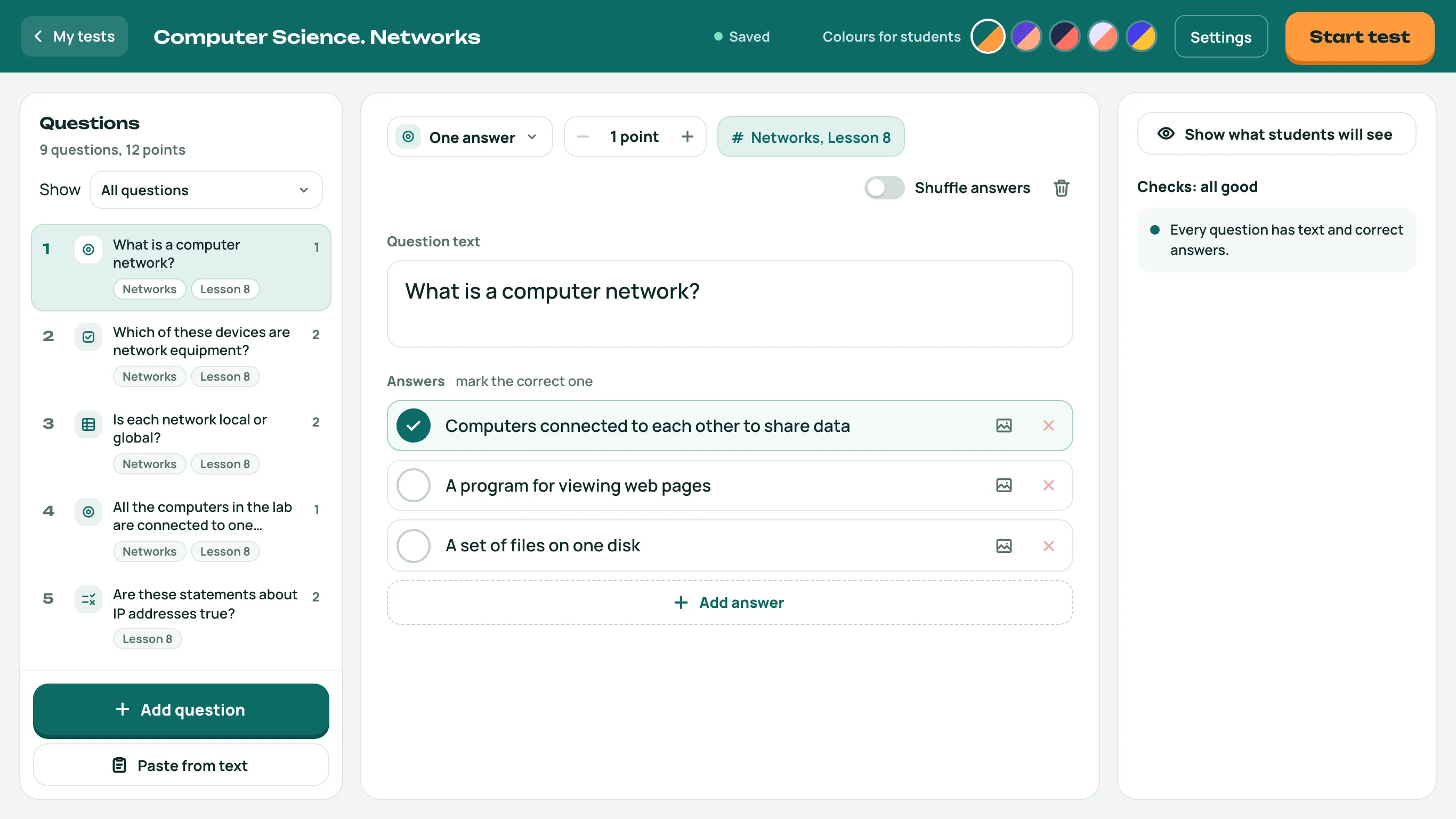
Mark the right answers, and set the time and the grading scale in the test settings.
Click “Start test” and pick the class.
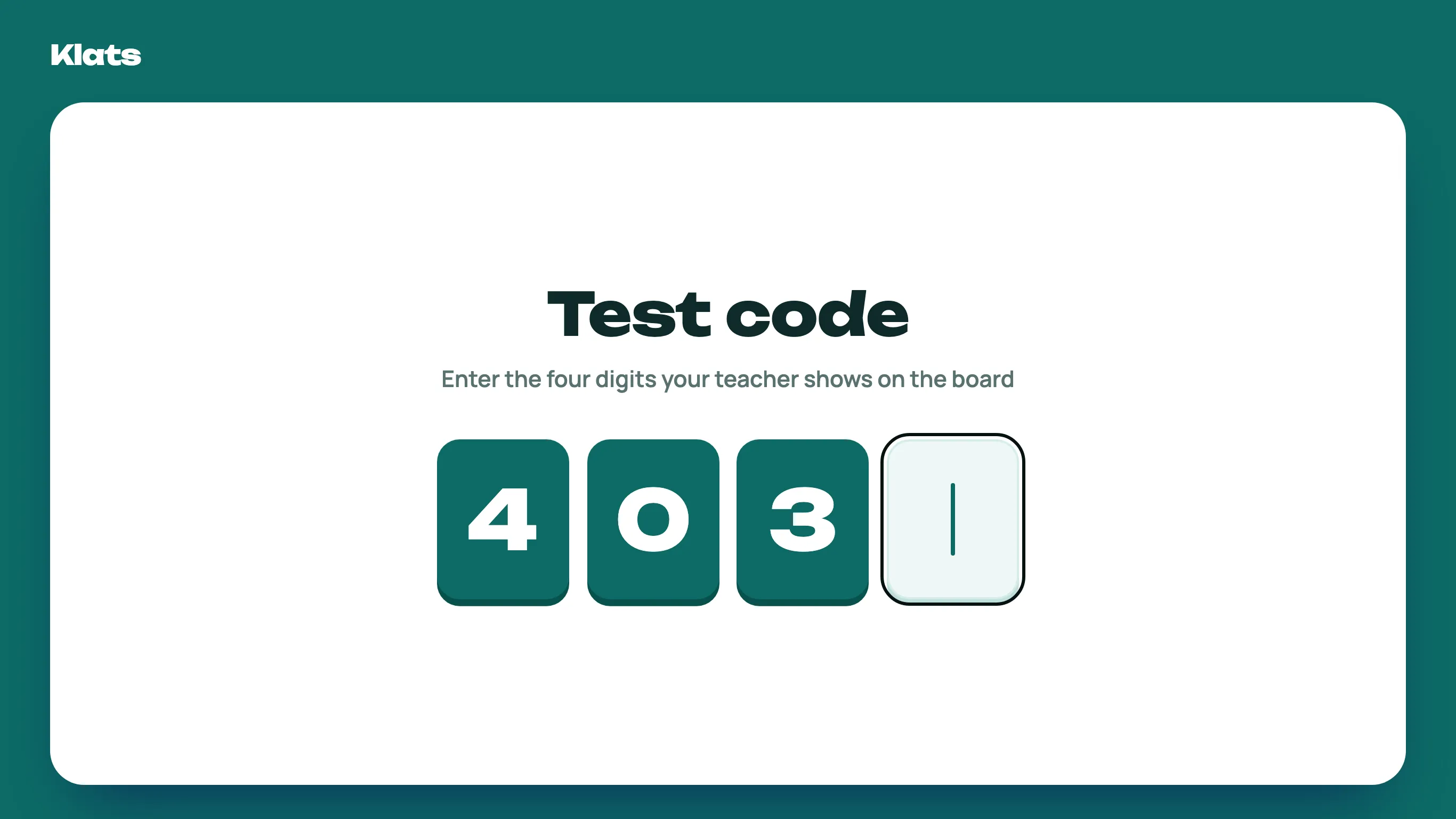
Click “Show on the board”: the student address and the test code appear there.
Students open the address in a browser, type the code and choose their name.
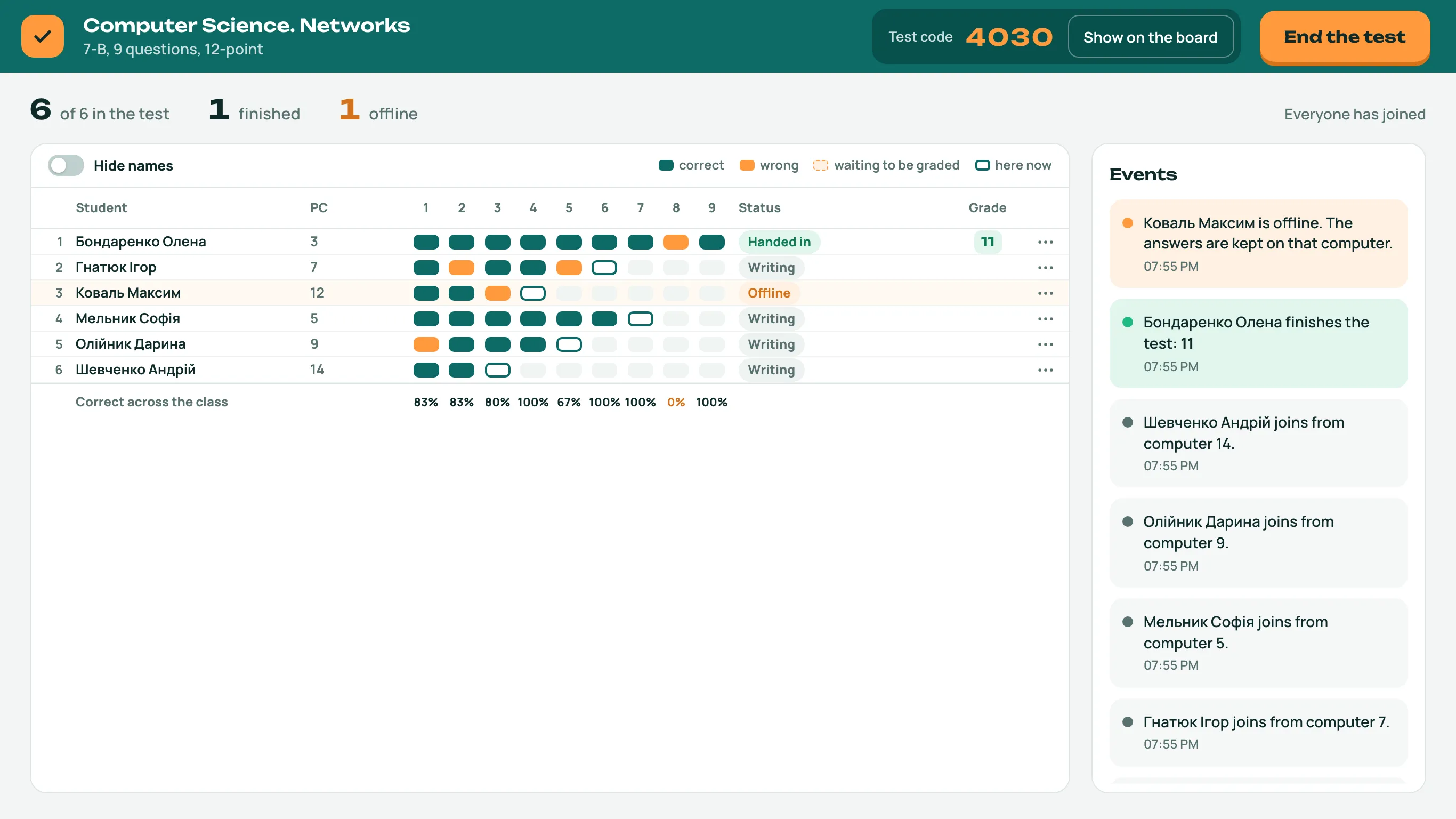
Watch the class live: who answered what, who is offline, who needs more time.
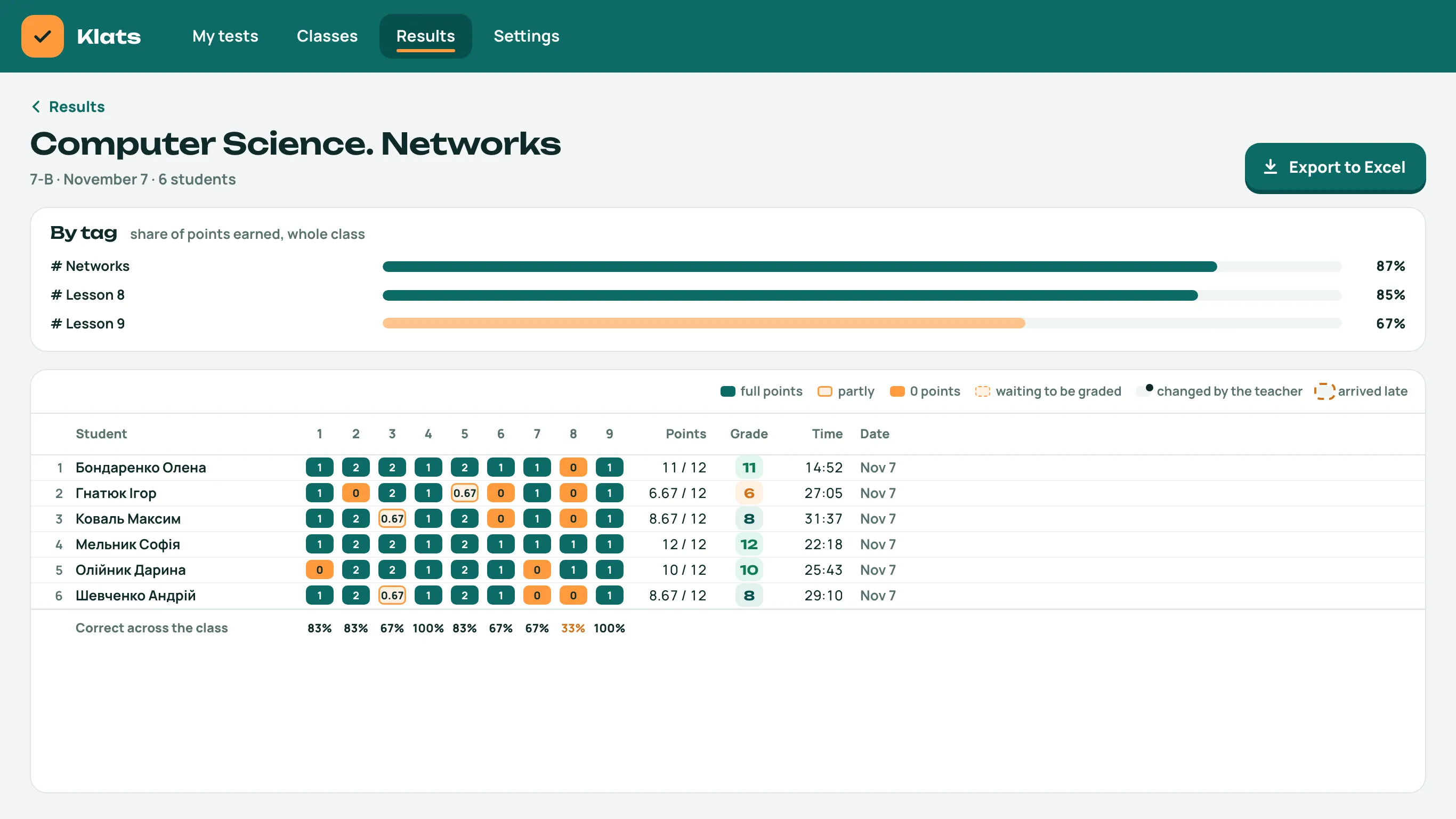
When everyone is done, click “End the test”, then “See the results”: the grades are there, ready to export to Excel.